
SoftComply has been helping companies manage their risks in Jira for over 10 years and we believe that risk management works best when it happens where the work is done.
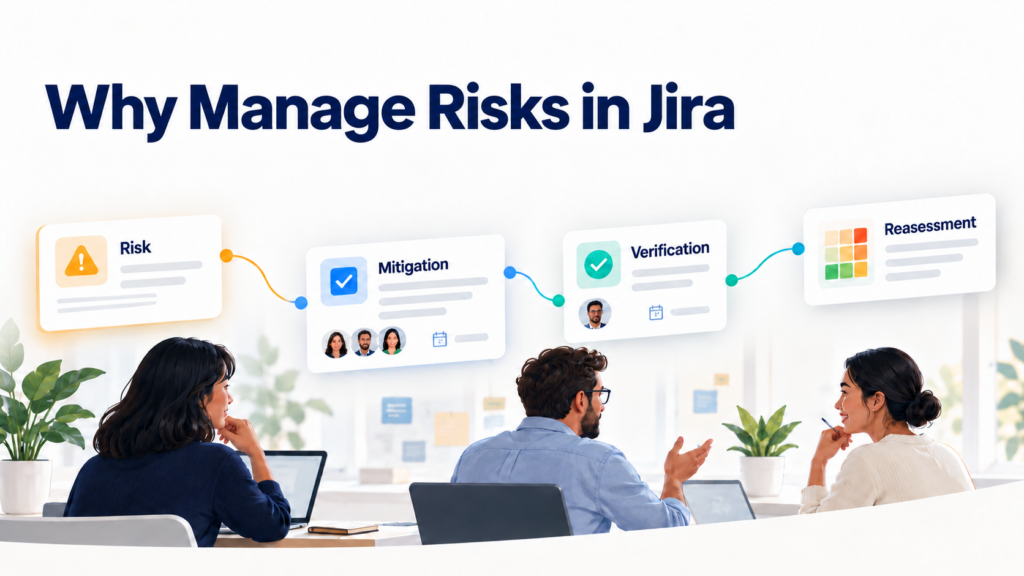
Managing risks inside Jira keeps them connected to the people, deadlines and activities that help reduce and determine whether they actually were reduced. Risks sit alongside other work items, with assigned risk owners and due dates for review. Each risk that is on unacceptable level should be linked to a mitigation or control action, for example, a software requirement in another Jira project, assigned to a different team member. Completing that action is only part of the process: its effectiveness must then be verified to establish whether it reduced the risk as intended, followed by a residual or final risk assessment. Keeping these connections in Jira helps teams follow the whole journey, from identifying a risk to demonstrating that it has been addressed.
SoftComply Risk Manager is a Forge risk management app for product and project risks in Jira, combining configurable risk models, customisable risk registers and a Risk Dashboard. Its migration from Connect to Forge is now complete, and no action is required from existing customers. This update also brings Risk Manager onto the same interface and underlying logic as Risk Manager Plus, with a focused set of features for teams managing product and project risks.
Why the move to Forge matters
Forge is Atlassian’s cloud app development platform. It provides managed infrastructure and built-in security controls governing app permissions, authentication and external data access.
Moving to Forge aligns Risk Manager with Atlassian’s direction for cloud app development, where new extensibility capabilities are being delivered exclusively on Forge. For customers evaluating Jira Cloud apps, the platform an app is built on is therefore an important part of assessing its long-term fit.
Configure risk assessments around your process
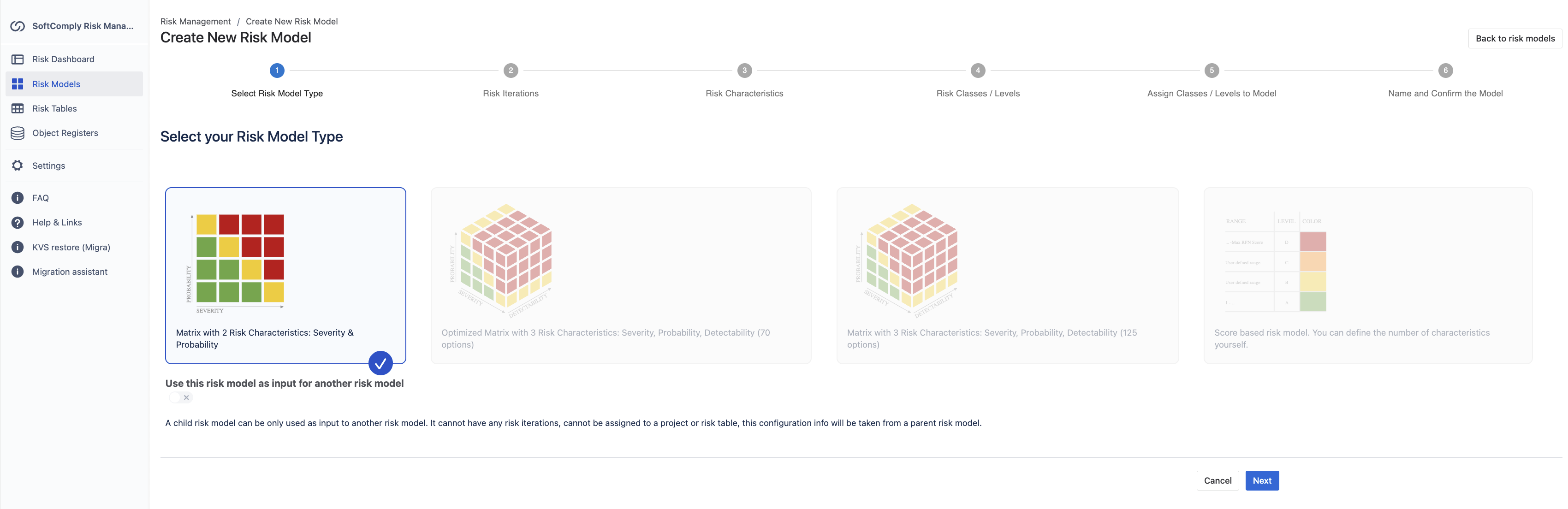
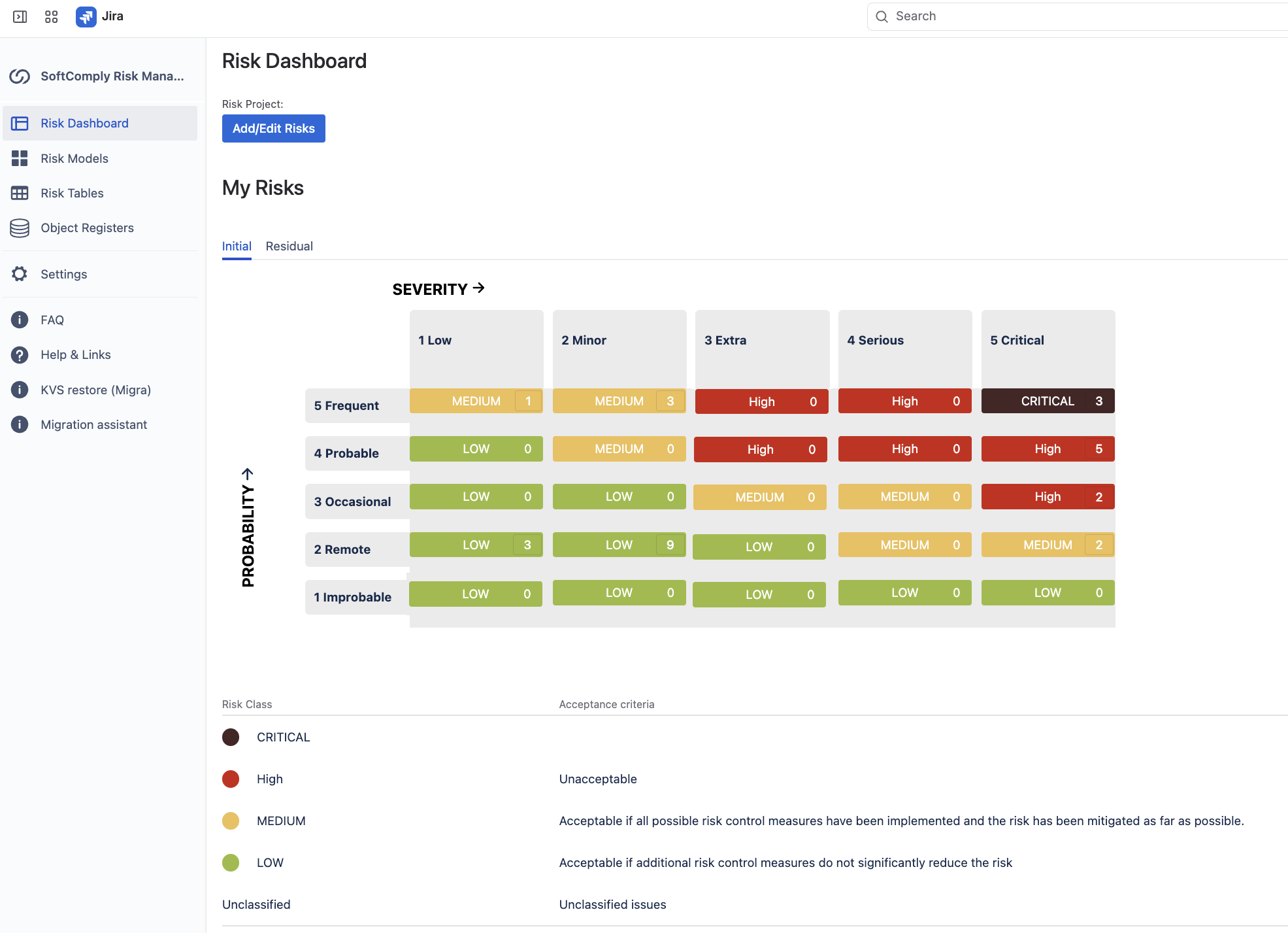
Risk Manager supports customisable two-dimensional risk matrices, such as probability x severity or likelihood x impact. You can define your risk characteristics, assessment levels and risk classes, including their names, colours and descriptions, so your team works with a shared understanding of what each rating means.
You can also configure multiple assessment iterations, for example, initial, current and target risk assessment, to track how risks change as mitigation progresses. This helps teams distinguish between the risk they identified, the risk they currently face and the level they aim to achieve.
Manage risks in an Excel-like risk register, built on Jira
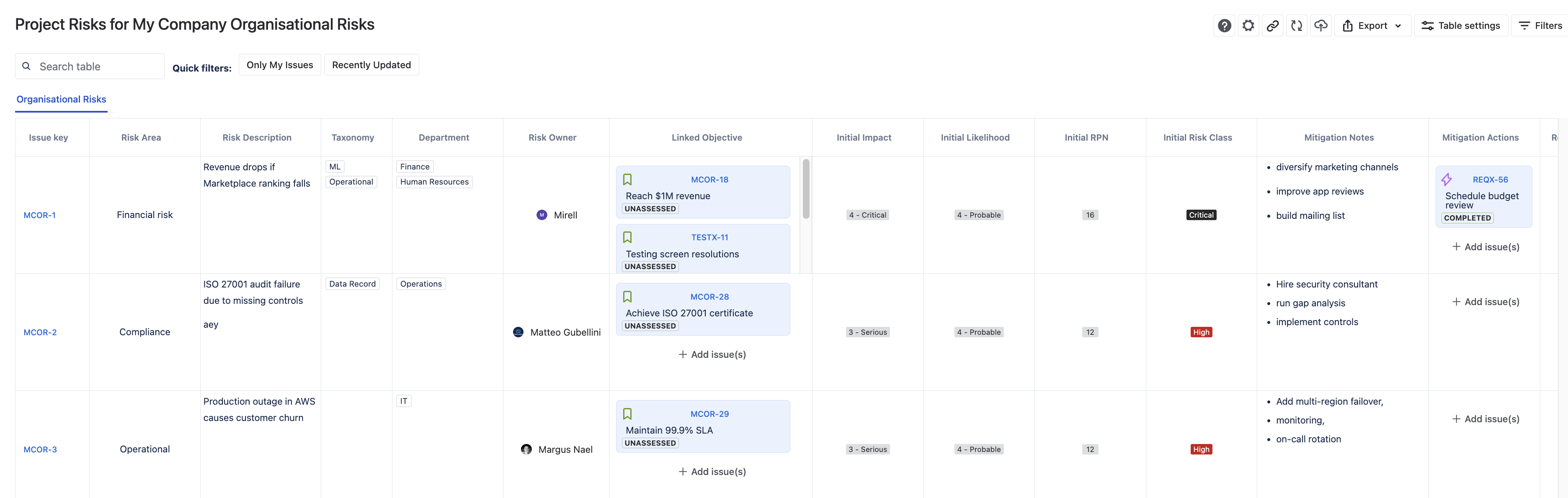
Risk Manager brings a familiar spreadsheet-style risk register into your existing Jira projects. Each risk is a Jira work item, so teams can work in the risk table or open an individual risk in Jira issue view.
Customisable columns and filtering options help risk managers focus on the information they need. Assign owners, record assessments and mitigation actions, and link risks to other Jira work items. This keeps risk management connected to the people and activities responsible for reducing those risks.
Keep an overview of risks and traceability
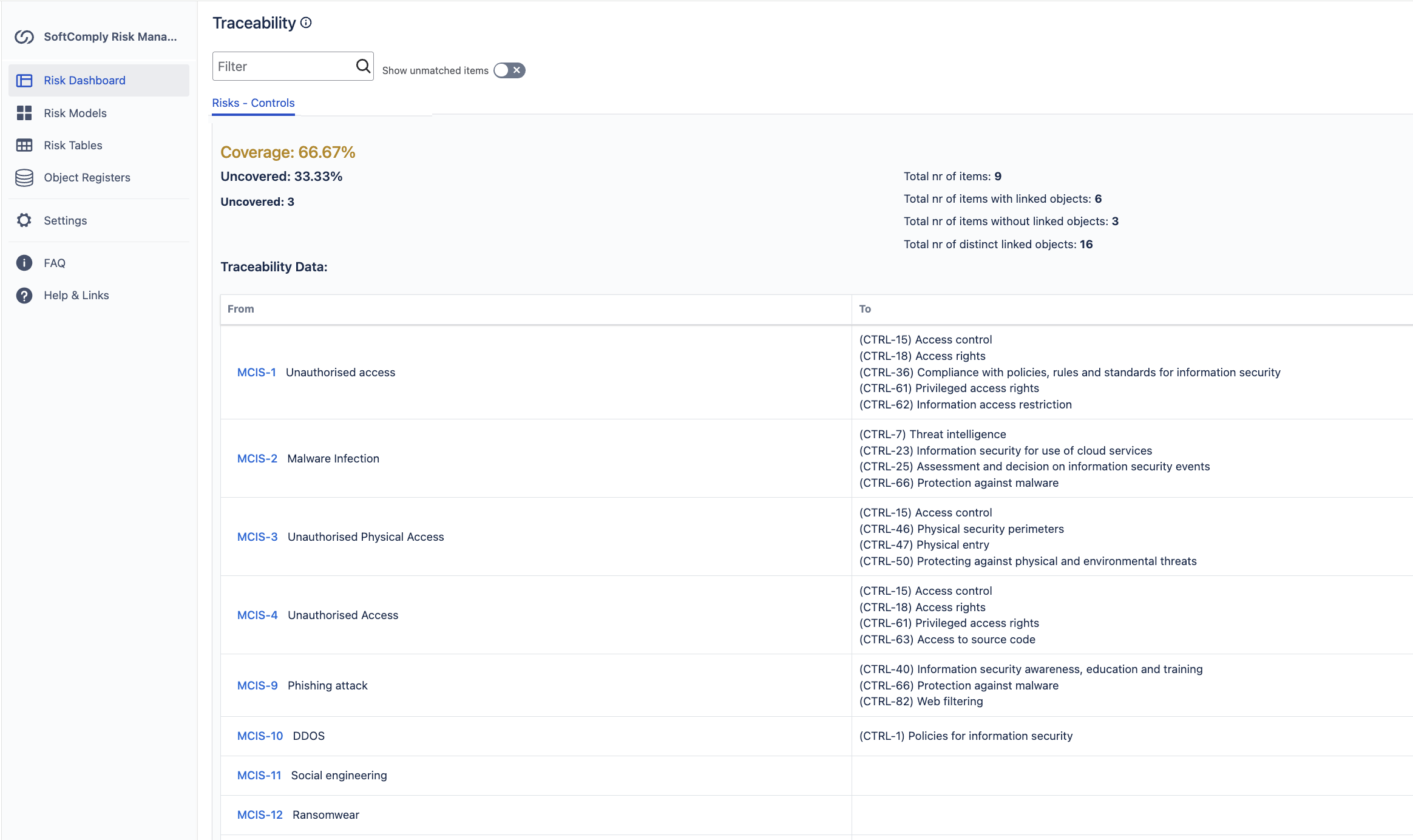
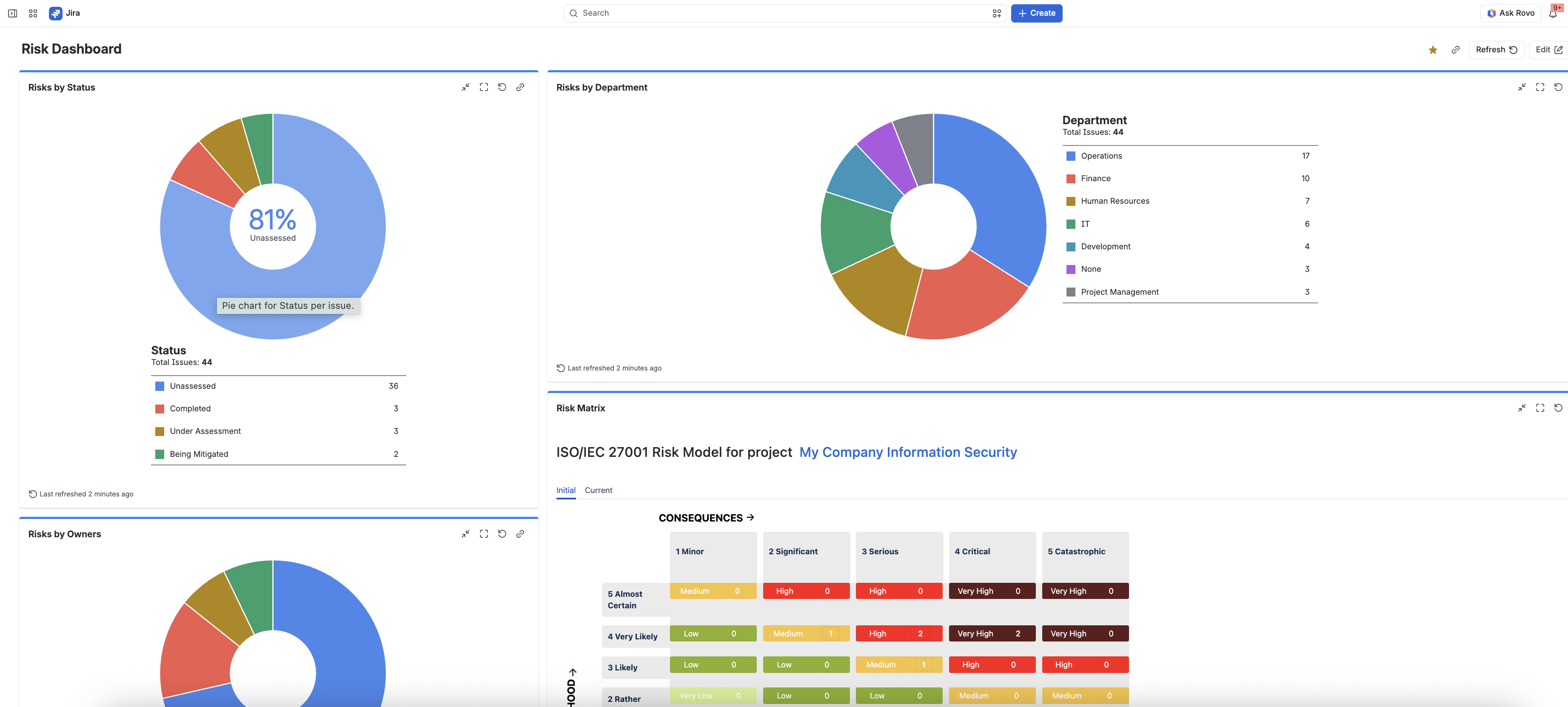
The app’s configurable Risk Dashboard helps teams stay on top of their risk assessments. Alongside the risk overview, you can configure a Traceability Matrix between risks and other Jira work items, helping you identify gaps in coverage.
For example, your team could track which risks have linked mitigation or risk controls (Jira work items) and which still need attention. This makes it easier to follow the connections between an identified risk and the work being done to address it.
Share risk information where your stakeholders work
Export risk models to PDF and risk registers to PDF or CSV. For ongoing visibility, build custom Jira dashboards using Risk Model, Risk Register and Risk History gadgets alongside other Jira reporting.
Teams using Confluence Cloud can also install the free SoftComply risk reporting extension to display Risk Models, Risk Registers and Risk History on Confluence pages.
When should you choose Risk Manager Plus?
Risk Manager provides configurable matrix-based assessment and risk tracking for product and project teams. Risk Manager Plus extends these capabilities for organisations that need more advanced assessment methods, reusable risk-related data libraries or multiple sheets within a risk register.
Capability | Risk Manager | Risk Manager Plus |
|---|---|---|
Risk assessment models | Two-dimensional matrices | Two- and three-dimensional matrices, plus score-based models |
Advanced calculations and nested models | Not available | Calculations including Maximum and Average; parent and child models |
Risk registers | One sheet per risk table | Multiple sheets, with different risk models per sheet if needed |
Reusable Object Registers | Not available | Custom registers for information assets, controls, hazards and other reusable data |
Traceability | Between risks and other Jira work items | Also includes objects from Object Registers and JSM Assets |
Explore the updated Risk Manager User Guide, or book a demo to find the right fit for your team.