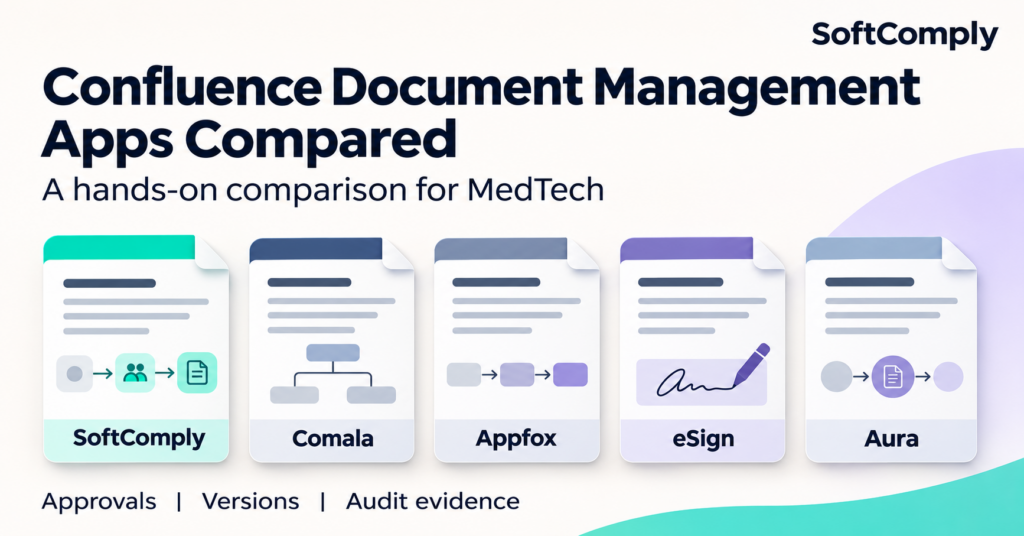

This article compares the Cloud editions of SoftComply Document Manager, Comala Document Management, Workflows for Confluence, eSign Document QMS and Training, and Aura Workflow & Approval for Confluence. Product findings reflect SoftComply’s hands-on trials and documentation review.
What MedTech companies need from Document Management in Confluence
A quality procedure can influence how a device is developed, tested, manufactured or serviced. If someone follows an obsolete instruction, or changes an approved procedure without the required review, the consequences can extend beyond a documentation error.
ISO 13485 clause 4.2.4 addresses approval before issue, review and reapproval, identification of revisions, availability of applicable versions and prevention of unintended use of obsolete documents. The FDA QMSR, effective since 2 February 2026, incorporates ISO 13485:2016 by reference.
Where FDA 21 CFR Part 11 applies, the assessment also needs to cover electronic records and signatures. Relevant provisions include system validation, record retrieval, access restrictions, audit trails, and specific requirements to consider an electronic signature valid.
Not every useful app feature is a regulatory requirement, and installing any generic Document Management app with electronic signatures does not establish compliance on its own.
Where SoftComply Document Manager stands out
SoftComply Document Manager is the strongest choice for medical device companies that need to manage approved procedures, protect released versions and retrieve the evidence behind document changes in Confluence Cloud. In our comparison, it was the only app of the five apps we assessed that fully supported every compliance-related requirement, and the only one supporting approval of several documents together.
That conclusion comes from trialling the apps as well as reviewing their documentation. We looked beyond whether an approval button existed to examine the surrounding process: what happens to approved content, how signatures appear in exported records, and whether historical document versions remain usable as audit evidence.
For a medical device company, those details can affect whether the chosen system supports its quality management procedures. An app may offer useful approval workflows while still leaving gaps that your team must close through configuration, additional apps or otherwise ensuring users do not accidentally break compliance.
Validation evidence is available from the start
SoftComply Document Manager is the only app providing an out-of-the-box validation pack. A validation pack for each app version is downloadable within the app. This gives regulated companies valuable evidence to support their own validation work.
This should not be interpreted as an automatic validation of every customer configuration. Your intended use, workflows and configuration still needs assessment. FDA guidance supports a risk-based approach to establishing confidence in production and quality management system software, and the vendor validation can be used as starting point for the compliance assessment.
Note that SoftComply also provides an automated validation app for Confluence Cloud.
Released versions are protected within a dedicated document repository
SoftComply manages documents in dedicated locations under the app’s control. Both SoftComply and eSign use a separate Confluence page for every document version, making it possible to work on a revision while retaining the released version and the previous ones. The use of different pages for each version is the strongest option in Confluence for locking the released document and preventing the unintended use of draft or obsolete versions.
The other three alternatives received a partial rating for preventing use of draft or obsolete versions. Publishing arrangements were part of those approaches, while previous content remained accessible through Confluence page history.
This architecture also affects implementation: existing documents must move into the app-managed spaces. For all apps, Confluence Standard or higher is required for the permission management used to protect approved documents.
Document permissions need to support the document lifecycle
The comparison showed that although Confluence permissions are usable with all apps, SoftComply is the only one with a comprehensive permission management within the app. For a MedTech company, bare read/write permission management is only the starting point – additional permission is required to determine who can modify the configuration of the app, e.g. workflows and their settings.
Approved document versions need their own identity
A Confluence page can change many times while a procedure is being drafted. Those editing revisions should remain distinguishable from the approved document versions used in the quality system. Our comparison found features enabling document versions independent of Confluence in SoftComply, Appfox, eSign and Aura, but not in Comala.
Ask each vendor to show how its version identifiers connect the released content, approval decision and historical export. Independent versioning alone does not establish that an older version can be exported.
Historical documents and approval evidence can be retrieved
Historical export matters when an auditor asks what a procedure said at the time of an earlier release, including the evidence associated with it. Unfortunately, previous versions of a Confluence page cannot be exported to PDF. SoftComply Document Manager and eSign both support export of obsolete versions due to the fact they use different pages for every document version, while the other three apps don’t due to their approach of versioning.
Assess the safeguards around electronic signatures
The comparison recorded adequate safeguards across all five apps, including links between signing credentials and individual user accounts, unique identifier and secret combinations, and prevention of administrator override of signatures.
Differences appeared in how signature details were displayed and exported, and in the handling of unsuccessful signing attempts. SoftComply, Comala and Appfox support logging of unsuccessful attempts, this was not present in the eSign or Aura. That evidence can help investigate attempted misuse or indicate potential breaches.
Macros to embed signature evidence in the page were found to be appropriate in the SoftComply Document Manager, Appfox Workflows and eSign Apps, while with Comala and Aura Apps the evidence must be retrieved within the Document Activity / Workflow History (audit log).
Multiple documents approved with one signature
SoftComply was the only app in our comparison supporting multi-document approval. Its Activities can carry several documents through review and approval as a set.
Coordinated approval is a practical way to manage related changes – its value is reducing the manual coordination needed when one process change affects several documents. It is not itself a specific regulatory requirement.
Approval routing should enforce the intended process
SoftComply and Appfox were the only apps that did not allow bypass of approval steps – Comala, eSign and Aura all provide a level of “admin override” to skip steps in a workflow. For regulated use, check which approvals can be bypassed, by whom, and what evidence records any permitted exception.
Pre-assignment of approvers
All five apps supported pre-assignment of approvers. Task expiry management was supported by SoftComply, Comala, Appfox and Aura, but not identified in eSign. These features help assign routine responsibilities and manage approval work that remains incomplete.
Key findings from our app trials
The table summarizes selected findings from our trial comparison. “Supported” means the capability met the comparison criterion while “partial” means it had a limitation or dependency. “Not found” means it was not identified in the evaluated app or configuration. These are feature findings, not regulatory certifications.
Capability | SoftComply | Comala | Appfox | eSign | Aura |
Validation pack out of the box | Supported | Not found | Not found | Not found | Not found |
Export signatures, logs and audit trails | Supported | Partial | Supported | Supported | Partial |
System and document audit trails | Supported | Supported | Partial | Supported | Partial |
Protect released documents from editing | Supported | Partial* | Partial* | Supported | Supported* |
Prevent unintended use of drafts or obsolete versions | Supported | Partial | Partial | Partial | Partial |
Export old document versions | Supported | Not found | Not found | Supported | Not found |
Approve several documents together | Supported | Not found | Not found | Not found | Not found |
Custom workflows | Supported | Supported | Supported | Not found | Supported |
Permission management within the app | Supported | Partial | Partial | Partial | Partial |
Signer name, timestamp, and approval/review comments in the document | Supported | Partial | Supported | Supported | Partial |
Logging unsuccessful signing attempts | Supported | Supported | Supported | Not found | Not found |
Versioning independent of Confluence | Supported | Not found | Supported | Supported | Supported |
Pre-assignment of approvers | Supported | Supported | Supported | Supported | Supported |
Task expiry management | Supported | Supported | Supported | Not found | Supported |
Bypass of certain approvals available | No | Yes | No | Yes | Yes |
* Aura’s released-document protection used its Publishing feature. The partial ratings for Comala and Appfox reflected publishing or trigger and event configuration dependencies. Export limitations and audit trail scope are explained below.
Additional table notes: permission limitations are described above. Comala’s signature details depended on embedded approval and Document Activity macros; Aura’s depended on its Workflow History macro.
How the four alternatives compare
Comala Document Management by Appfire
The grandfather of all Document Management apps in Confluence.
Comala supports custom workflows, system and document audit trails.
In our evaluation, exported approval evidence and on-document signature details depended on embedded approval and Document Activity macros. Released-document protection required publishing and/or workflow configuration, and old-version export is not possible due to Confluence limitations. Comala also allowed bypass of workflow steps. An additional app, Comala Publishing, is required to publish approved documents.
For a medtech company, the questions are how the proposed configuration protects released content, restricts permitted exceptions and retrieves complete historical evidence. If the design uses the separate Comala Publishing app, include it in the implementation and licensing scope.
Workflows for Confluence by Appfox
Appfox supports custom workflows, exportable approval evidence, independent document versioning and automatic archiving.
However, the system and document audit trail criterion was only partially met: the comparison identified that logging is limited to workflow editing and management. App permissions focused on adding or removing workflows and approvers. Similarly to Comala, old-version export is not possible due to Confluence limitations.
Teams evaluating Appfox should demonstrate how their wider Confluence configuration provides any required evidence beyond workflow administration, and how historical approved content will be retrieved.
eSign Document QMS and Training by Digital Rose
eSign supports released-document locking, old-version export, system and document audit trails, and exportable signature evidence. Its Read & Understand functionality may also interest teams managing document-related training.
The main drawback in this app is the lack of custom workflows, task expiry management, and secret/password expiry. These findings warrant assessment against your authentication arrangements and approval procedures.
The practical question is whether its in-app workflow fits all your quality system processes, including required approvals, authentication safeguards and management of incomplete tasks.
Aura Workflow & Approval for Confluence
Aura supports custom workflows, independent versioning and Read Confirmation. It also protected released documents through its Publishing feature.
Exported history and signature details depended on an embedded Workflow History macro. Audit trail coverage was limited to the page level in the comparison. We did not identify logging of unsuccessful signing attempts, and old-version export is not possible due to Confluence limitations.
A MedTech evaluation should therefore check whether exported records contain the required approval context, whether the wider audit trail is sufficient, and how permitted exceptions are governed.
Test the gaps before choosing a Document Management app
A partial feature rating is not a regulatory failure. A gap left unresolved in your implemented process, however, can become a compliance problem. Before buying, ask each vendor to explain if and how these gaps can be closed through configuration or other apps.
The general evaluation process for a Document Management app should include the following:
Open a released document as an ordinary reader while a new draft exists. Check direct links, search results and access to obsolete content;
Attempt to edit, move or delete released content using relevant user and administrator roles/permissions;
Retrieve an earlier approved version and its associated approval evidence. Check the exported content, signer details and decision context;
Inspect the relevant audit trails;
Check that a draft edit and a new approved document version remain distinguishable, with the right permissions and approval evidence for each;
Demonstrate pre-assigned approvers, overdue approval tasks and any permitted approval exceptions;
Identify every additional app, publishing configuration, macro and manual procedure needed to close a requirement gap;
Review supplier validation evidence and determine what further assurance your intended use requires.
Apply the same scrutiny to SoftComply Document Manager app. The useful outcome is a process your team can demonstrate and maintain as documents, people and software change.
Choose a Document Management app based on your requirements
A company should choose their document management tool based on their business requirements, current practices and compliance demands.
In our evaluation, SoftComply Document Manager offered the most complete coverage of the compliance-related requirements. Its combination of validation support, protected document versions, historical exports and coordinated approval make it a strong candidate for medical device companies using Confluence Cloud.
Try SoftComply Document Manager on Confluence Cloud with one of your own quality procedures, or book a demonstration of the full document lifecycle. Stay audit-ready as your work changes.
Book a call to learn more about the product and how it supports you in your eQMS on Confluence Cloud – SoftComply QMS Document Management on Confluence – SoftComply .
About this comparison
Published by SoftComply, the developer of SoftComply Document Manager. This article compares the Cloud editions of SoftComply Document Manager, Comala Document Management, Workflows for Confluence, eSign Document QMS and Training, and Aura Workflow & Approval for Confluence. Product findings reflect SoftComply’s hands-on trials and documentation review. They describe the evaluated configurations; other configurations, integrations or subsequent releases may differ. The comparison does not cover every regulatory obligation or all platform-level security, backup and retention arrangements.