

This short post will provide you insight into taking control over your document management in Confluence Server.
This post is not going to touch regular security policies like VPN, firewalls, security policies and ohter things that are outside of the Confluence Server. In other words, all the really technical things are left out and we assume that you have taken care of the physical security of your servers and databases. We have previously written about the Space level permissions in our blog so we will not touch upon that here either. Instead, we focus on the security features that Confluence offers on the system level, i.e. all the things you can do yourself while setting up your Confluence as the basis for your documentation (QMS, SRS, technical files, etc).
In order to fully understand how to configure Confluence we need to first illustrate the different levels of security – and yes! it has many levels of providing/removing access to various activities. On a more generic level there are three levels where the access to content can be checked: Application level, Space level and Page level.
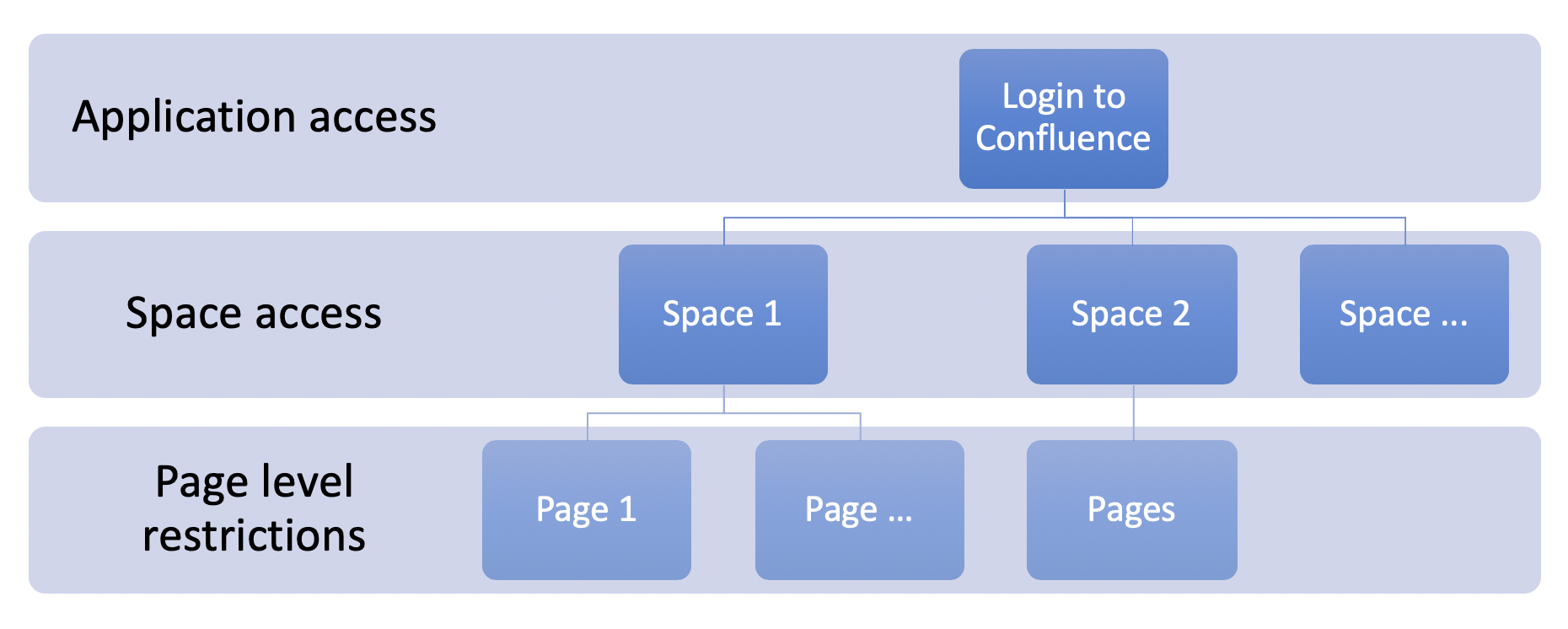
Figure 1: Confluence Security Levels
Today we focus on the system i.e. the Application level. On that level you can eliminate any authentication to your server i.e. you do not have to login to Confluence to see or edit content. That is sometimes allowed if you have public site or strong network level security (e.g. Confluence is accessible only from company VPN). In all other cases we suggest to not allow anonymous access and stay in a private mode. You can verify these settings by opening General Configuration menu and reviewing Global Permissions section. You want Anonymous users not to use your Confluence!

Figure 2: Anonymous access configuration is not allowed in this Confluence server
After having locked down your server for any random visitors, the next and the highest level of access is “application access”: whether the user can login to Confluence server or not. On the same page (General Configuration – Global Permissions) you can see which groups or users have application access. The first column with following icon and text “can use” shows who can login to your server.
NB! You have to stay in charge and up to date of your user groups management i.e. know who is in which specific usergroup to avoid accidental access.
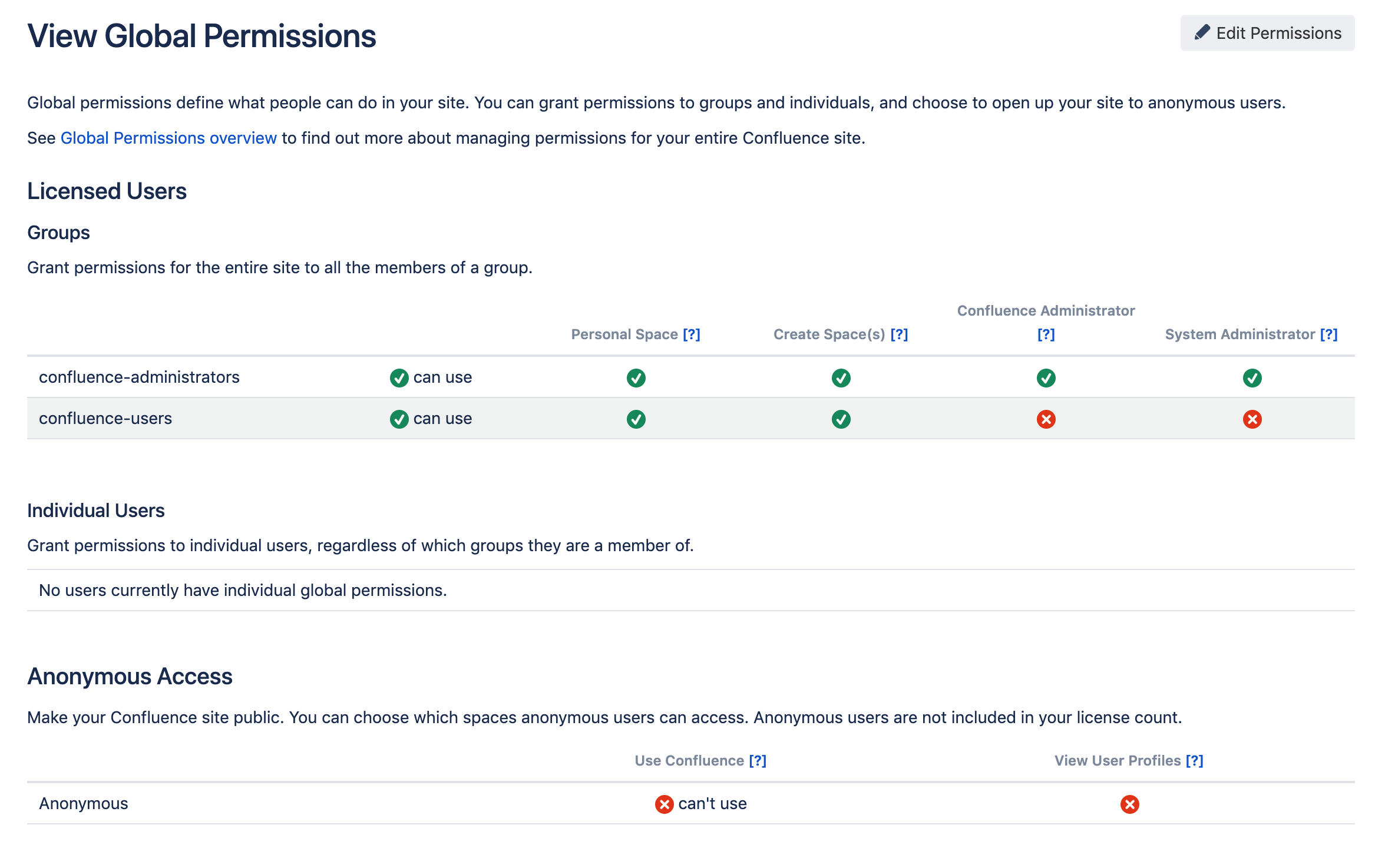
Figure 3. Out of the box Global permissions for Confluence server.
Everybody with access to Confluence has the possibility to see the content at the minimum. Whether they can see or edit the content depends on the Space level access permissions. You can read all about the space permissions in our previous blog post on setting up your Quality Management System in Confluence.
But there is one small catch – Confluence Administrator’s or System Administrator’s role can grant itself with the access to different spaces! Although all activities taken by the admins will be stored to server’s audit log, you have to be aware that admins have the power to Access the content. In order to avoid that, review the Confluence Administrator and System Administrator permissions on the Global Permission page and make sure that the right permissions are granted to either one of those roles!
To sum this up, the following figure depicts a decision tree of the high level access permissions:

Figure 4. Do I have access to Confluence content?
We have now covered the top layers of Confluence permissions! In the next blog post we will focus on the access rights on Page level!
To learn more about our medical device Quality Management System app for Confluence, please visit – SoftComply eQMS or take a look at this short video clip about it.