
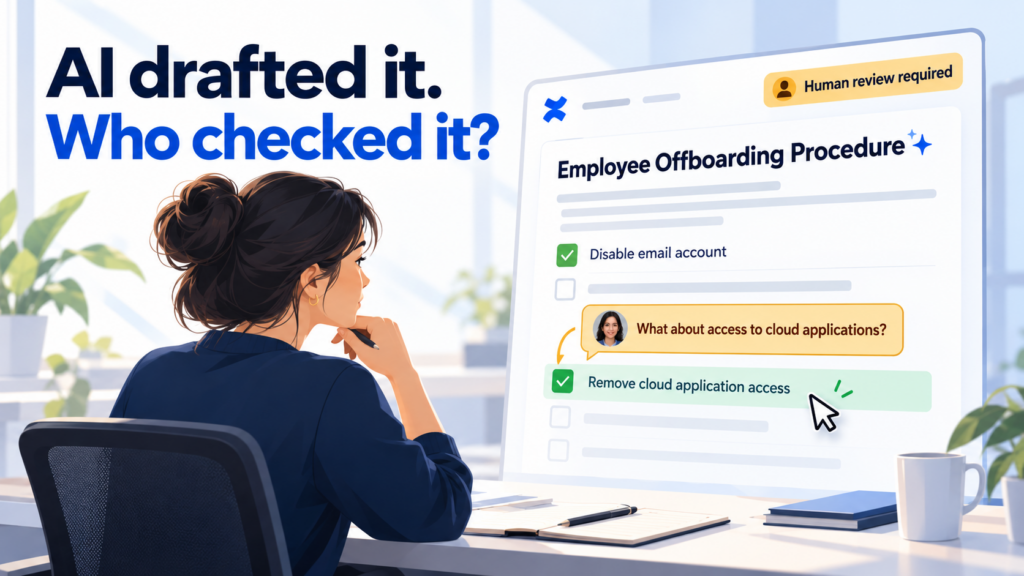

AI can draft a procedure in seconds. Before anyone follows it however, a person still needs to check that it describes the right process, uses current sources and has been approved for use.
In regulated organisations, documents guide work and provide evidence of decisions. Outdated instructions or unsupported claims can have consequences long after the draft is finished.
AI-assisted drafting belongs within a controlled document lifecycle, with named reviewers and approval of a specific version.
AI drafts need careful human review
Templafy’s The Business-Ready AI Gap 2026 surveyed 2,000 knowledge workers in the UK and US who use AI for business documents at least monthly, alongside analysis of platform data. Among those surveyed:
90% use AI for business documents at least weekly.
95% edit the output before use.
48% say the review required can leave little actual time saved.
The findings are not specific to regulated industries, but they raise a useful question: what does that editing involve?
Improving grammar and tone makes a document easier to read. Human review must also establish whether its content is accurate, supported and suitable for use.
Check that the AI draft reflects the correct process
Imagine a company uses AI to update its employee offboarding procedure. Working from an outdated source, the draft tells IT to disable the departing employee’s email account but leaves out a newer requirement to remove access to cloud applications.
A colleague improves the wording and sends it for approval. The document reads well, but following it would leave some accounts active after an employee has left.
Those accounts could still provide access to confidential customer information or company files. Misuse could lead to a data breach, investigation costs and disruption for customers.
Human reviewers need to check that the draft reflects how the organisation works today and includes the safeguards it relies on. In this case, that means checking the procedure against the current access management process, and the systems employees actually use.
The same applies to records. An AI-generated statement that “all access has been removed” is not proof that the accounts were disabled. That claim needs supporting records.
The new human review workflow for AI-generated Confluence pages
SoftComply Document Manager now includes a built-in workflow template for human review and approval of AI-generated pages in Confluence Cloud.
It takes content through four stages: Prepare AI content → AI content review → AI content approval → Approved.
Teams can assign review and approval tasks to named users and request electronic signatures to confirm completion. Workflow settings can allow editing during review and lock pages during approval, helping protect the version being approved. AI generated pages can also be properly labeled for easy identification.

Here is how teams can use the workflow to check AI-generated content before release.
1. Prepare AI content
Create a draft grounded in current sources.
The author uses an approved AI tool to help update the employee offboarding procedure, following the organisation’s data-handling rules.
Before sending the Confluence page for review, the author:
Checks the current access management policy and offboarding checklist.
Identifies which systems and cloud applications the procedure must cover.
Records source identifiers and versions where traceability matters.
Assigns the document owner, reviewer and approver.
Records how AI was used where required by company policy.
The draft is ready for review when its sources are clear and the author has checked its content.
2. AI content review
Check that the draft covers the real offboarding process.
The assigned reviewer, such as the IT or security lead, checks whether the instructions would remove all relevant access when someone leaves.
They ask:
Accuracy: Does disabling the email account also remove access to other applications, or are separate actions needed?
Responsibilities: Is it clear who notifies IT, removes access and confirms completion?
Completeness: Does the procedure cover cloud applications and accounts managed outside the central login system?
Timing: Does it specify when access must be removed?
Here, the reviewer spots that the AI draft covers email but omits cloud applications.
They return the page to Prepare AI content for correction, then check the revised draft before progressing and record the checked sources, the identified issue and how it was resolved in the page.
3. AI content approval
Approve the version that includes the required safeguards.
The designated approver checks that the review is complete, the missing cloud access instructions have been added and responsibilities are clear.
Configure this stage to lock the page against editing, keeping the content stable during approval. The approval should remain linked to that specific version.
If an issue remains unresolved, the approver rejects the page and returns it to AI content review. Material changes may require further review before resubmission.
4. Approved
Release the procedure and keep it aligned with changes.
Make the approved offboarding procedure available to the people who use it, retain its review and approval history, and clearly distinguish it from drafts and obsolete versions.
The document owner keeps it current as the company adds applications or changes how access is managed. AI-assisted updates follow the same review and approval workflow.
Approving the procedure confirms that it is ready for use. Each completed offboarding still needs its own evidence that access was removed. An AI-generated summary saying “all accounts disabled” cannot replace those records.
Stay audit ready as your work changes
AI can help teams draft faster. Controlled sources, meaningful human review and approval of specific versions help turn that speed into documents people can rely on.
SoftComply Document Manager brings that lifecycle into Confluence Cloud, helping teams stay audit-ready as their work changes.
Try SoftComply Document Manager free on the Atlassian Marketplace →