
If your risk register lives in a spreadsheet, chances are it’s already failing you – even if it looks fine.
It was probably created with great intentions at a project kickoff meeting as something every good project manager should do. It might even get reviewed once a quarter (on a good quarter). And yet, risks don’t get updated and mitigations quietly stall resulting in unpleasant surprises during the entire project.
The problem usually isn’t effort. Or that your team doesn’t care about risks. It’s that your risk register is disconnected from their real work.
A few months ago I talked about RAID, the project management framework and how to set it up in Jira, this time I focus on the reasons why most project risk registers are failing, and the benefits RAID brings especially when it is set up in Jira.
You can also check out the benefits of RAID in Jira in our YouTube video:
The Core Problem why Risk Registers Fail: Risks Without Action
Traditional risk registers that are logged in spreadsheets all tend to suffer from the same flaws:
Risks are documented, but not worked on
Owners are named, but not accountable
Mitigations exist… somewhere else
Updates rely on manual reminders
In other words, risks are logged, not managed.
This is where many teams realize they don’t just need a better risk register – they need one that is connected to their everyday work.
RAID is More Than Just “Risks”
RAID is a simple but powerful project management framework that expands risk thinking beyond a single list.
It is a framework for thinking of potential threats and challenges throughout a project’s lifecycle including:
Risks – things that might go wrong
Assumptions – things you believe to be true (until they aren’t)
Issues – obstacles that hinder your project success
Dependencies – things outside your control that you rely on for the project to succeed
Most project managers and their risk registers focus only on the first item and ignore the rest. That’s like a pilot watching only one instrument panel while flying a plane.
RAID works because it reflects how projects actually fail – gradually, through assumptions, dependencies, and unmanaged issues.
Why Jira Is a Natural Home for RAID
Jira already has most of the building blocks that RAID needs, where each RAID item can be assigned:
Clear ownership
Status tracking
Due dates
Links to other RAID items and tasks
This way your assumptions are continuously revisited, issues are tracked in real time, dependencies are visible to all and risk mitigation actions are connected to your team’s work.
When RAID items live in Jira, they stop being static records and start behaving like real work items.
RAID Items in Jira
Instead of one big spreadsheet, each RAID item becomes something that can be owned, updated, and acted on.
RAID: Risks are Jira items that:
Have a clear owner
Have a current status
Can be reviewed and updated regularly
Can link directly to mitigation tasks
Key difference:
Risks are no longer just noted, they are owned.
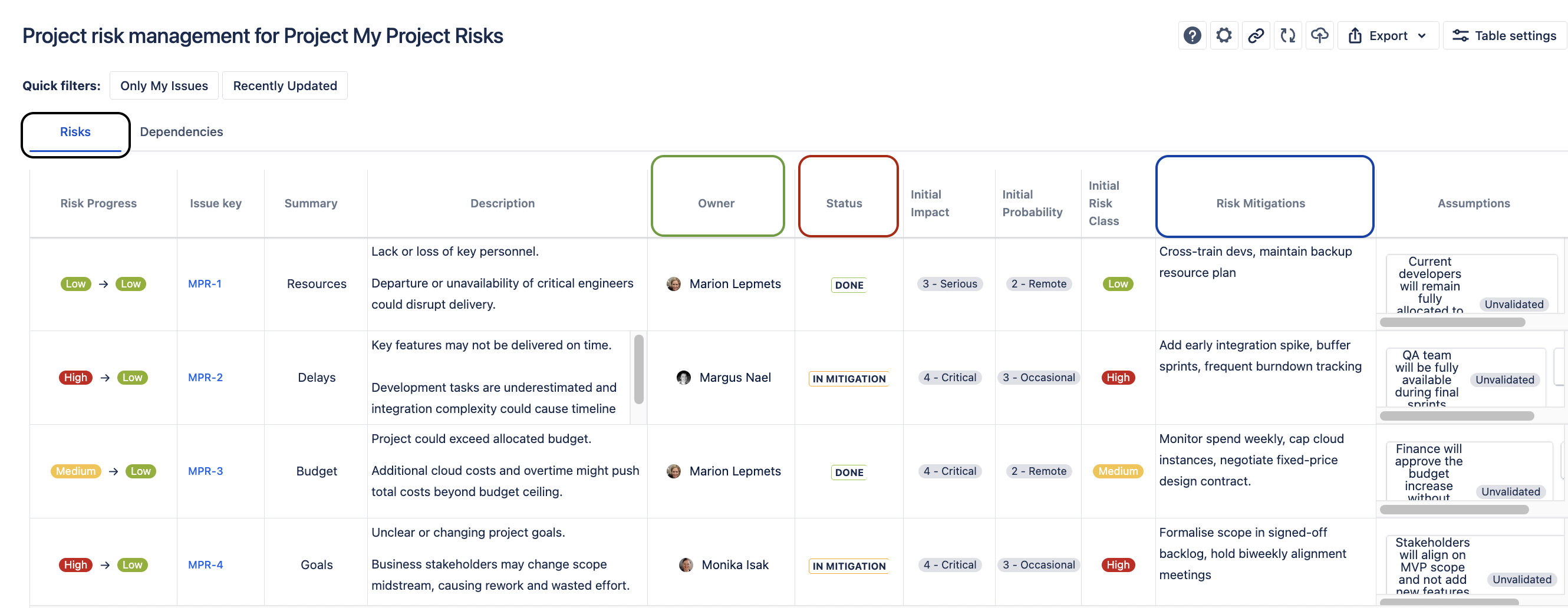
Risks in SoftComply Risk Manager Plus in Jira Cloud
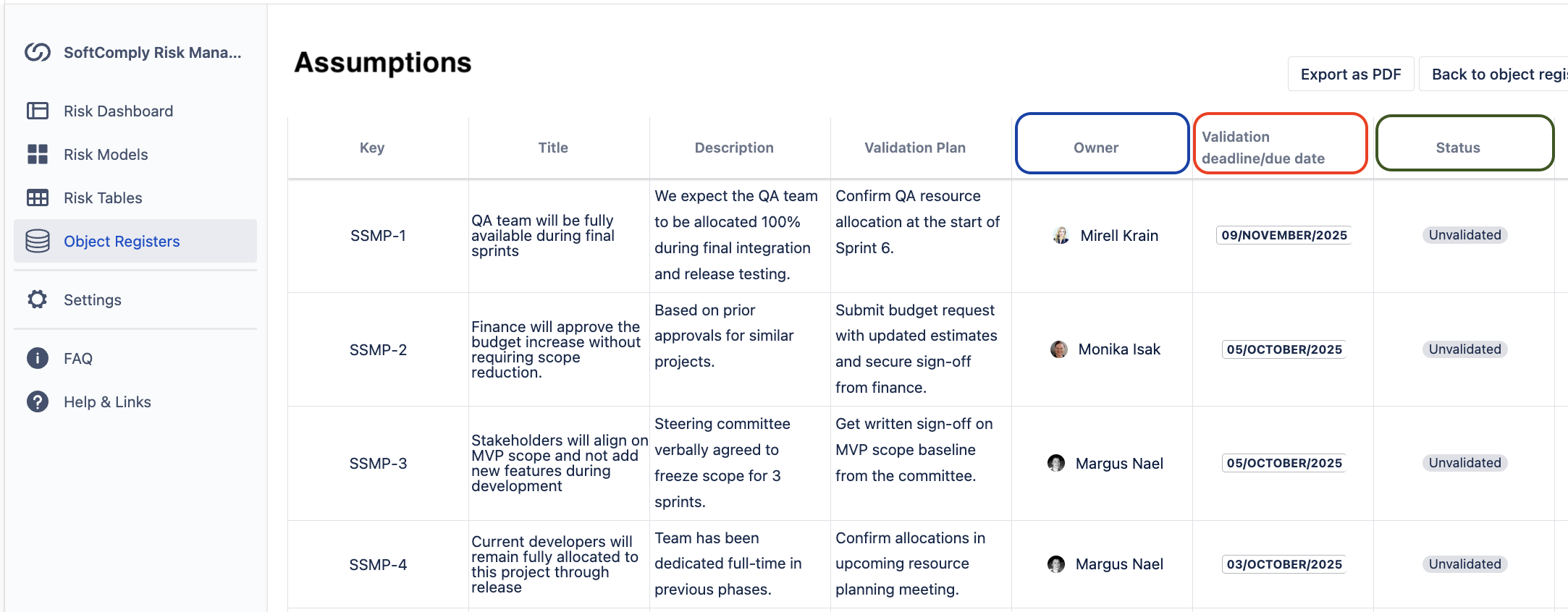
RAID: Assumptions inside Jira
Assumptions are often forgotten until they break.
In Jira, assumptions can:
Be assigned an owner
Have review dates
Be converted into risks or issues when they change
This makes assumptions visible before they become issues.
RAID: Issues in Jira
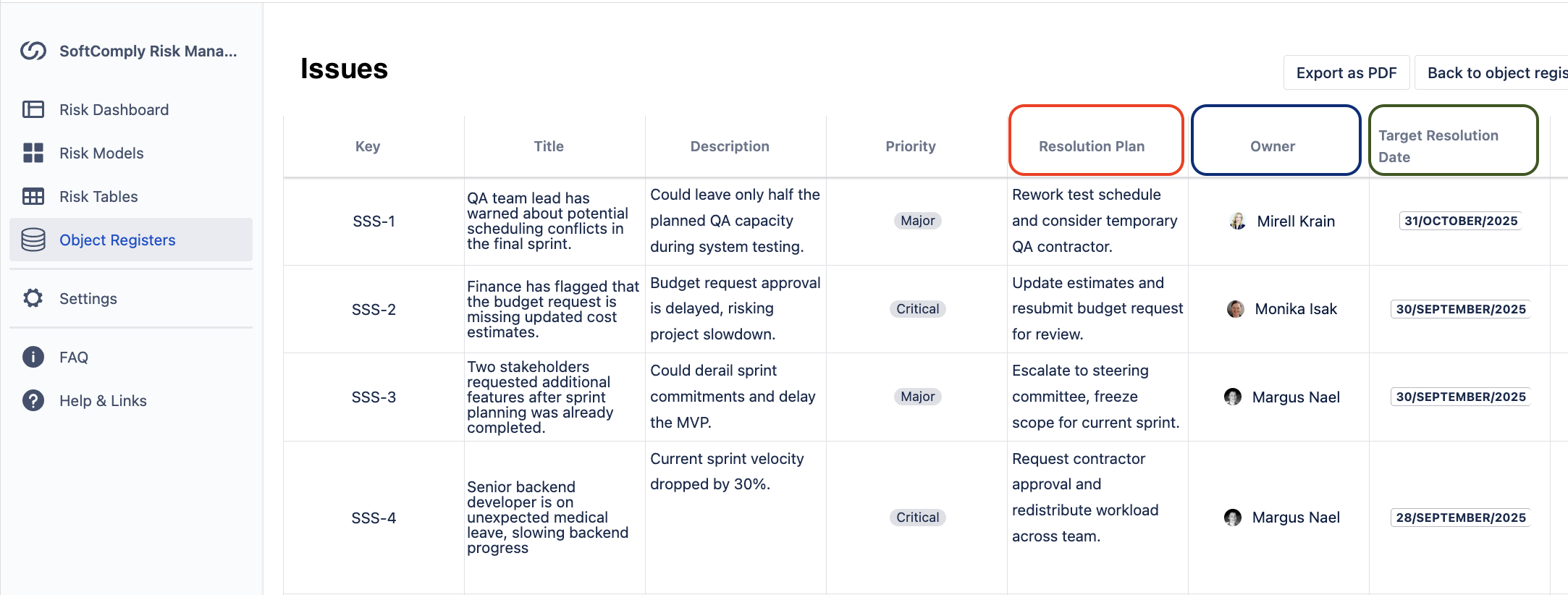
Issues already belong in Jira – but linking them back to risks and assumptions changes everything.
Issues should be tracked to better understand:
Which dependencies failed
Which assumptions were wrong
What is the resolution plan for each issue
That’s a powerful way to keep unpleasant surprises from happening.
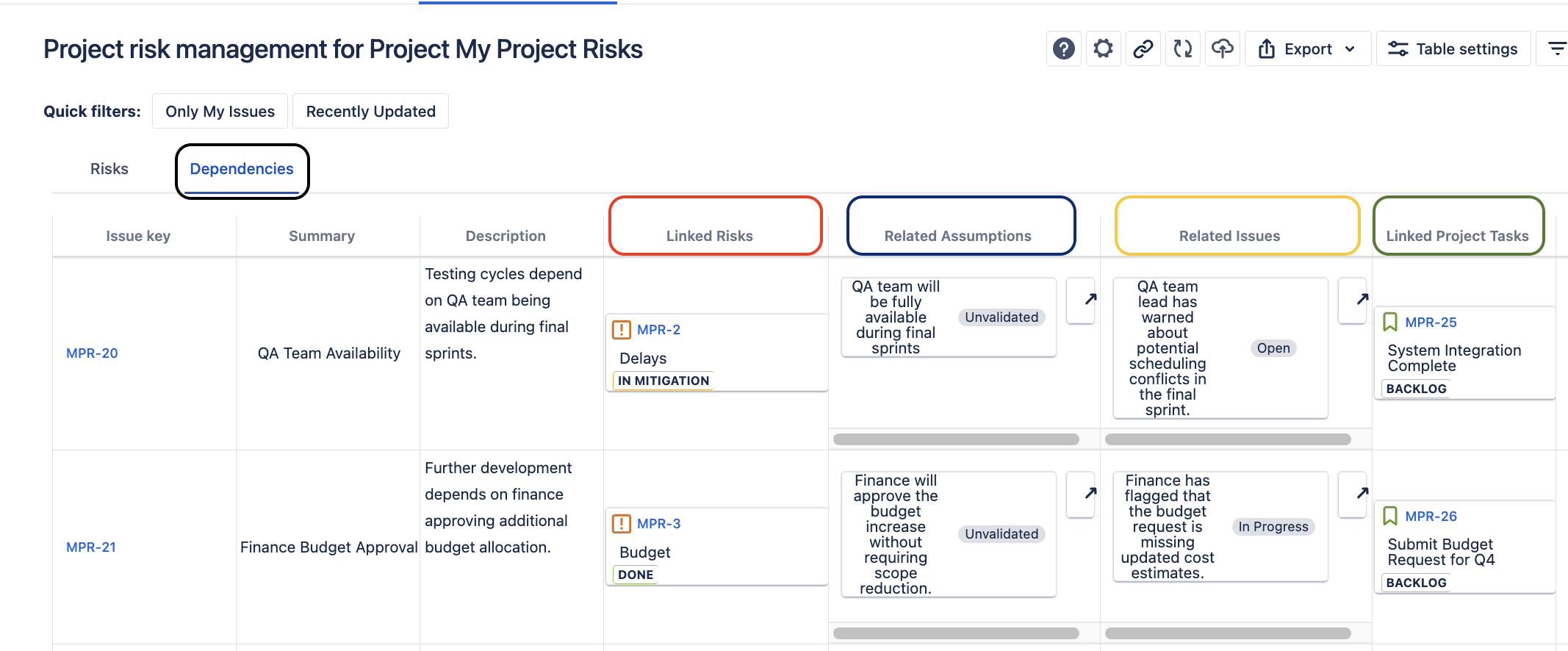
RAID: Dependencies in Jira
Dependencies are notorious for being “known but undocumented”.
In Jira, dependencies can:
Have owners
Have linked project tasks
Be linked to impacted risks, related issues and assumptions
When a dependency slips, the impact is immediately visible – not discovered weeks later.
The Real Project Management Win: Ownership + Action
The biggest advantage of managing RAID in Jira isn’t tooling – it’s behaviour.
When RAID items have owners, they are reviewed like real work and in case of escalation they trigger mitigation actions. This is how risk management stops being an admin task and starts being part of project delivery.
People act on what they see every day.
From Passive Register to a Living System
A failing risk register usually isn’t missing information. It’s missing connections.
RAID in Jira connects:
Risks to mitigation
Assumptions to validation
Issues to root causes
Dependencies to delivery impact
And once these connections exist, risk management stops being a side activity and starts supporting real outcomes.
Final Thought
If your risk register feels like something you maintain rather than something you use, it’s time to rethink where and how you manage it.
RAID belongs where the project work happens. For most teams, that place is Jira.
If you want to discuss how your team could improve your project management and benefit from a living risk management system in Jira, don’t hesitate to book a call with us.